ArtCraft, PhotoCraft vs Paint.NET: which is better for layered PSD work?
Paint.NET is free image and photo editing software for PCs running Windows, with layers, unlimited undo and an active plugin ecosystem. PhotoCraft is open-source photo editor written in Rust that installs on Linux, Windows, macOS and FreeBSD, treats layered PSD as a format it writes as well as reads, and can be driven from a command line or an MCP client. Both cost nothing to run; the differences are platform reach, document fidelity and automation.
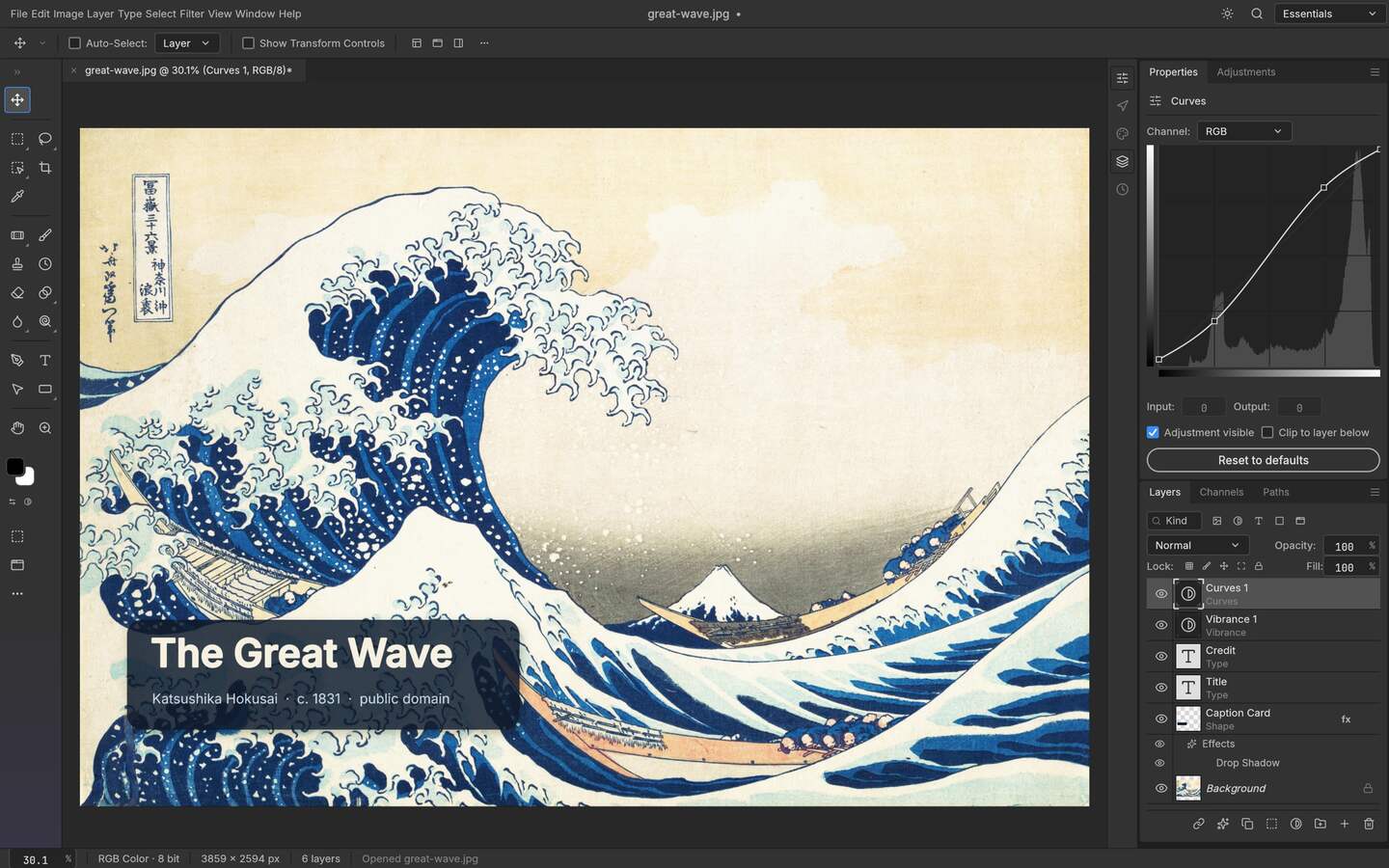
Upstream PhotoCraft interface preview; the artwork shown in the repository is public-domain source material. View the GitHub asset
What each project says it is
Paint.NET describes itself as free image and photo editing software for Windows machines, with an intuitive interface, layer support, unlimited undo, special effects and a wide range of tools, plus a large volume of plugins from an active community. PhotoCraft describes itself as an open-source photo editor written from scratch in pure Rust, whose organising commitment is a layered document model with PSD and PSB handling, GPU rendering paths, and a CLI, JSON control channel and MCP server. The first is a long-standing free Windows editor. The second is a cross-platform, scriptable editor at an early stage.
The comparison, with sources named
Checked differences, both sides dated 2026-10-14
Aspect
PhotoCraft v0.9.0
Paint.NET
How to verify
Price to run
Free, no seat fee
Free software
Each project's own site
Source availability
Public repository under MIT or Apache-2.0
Paint.NET states its terms on its own License page; treat that as authoritative
The repository LICENSE; the paint.net license page
Platforms
Linux x86_64, aarch64 and riscv64; Windows x64 and arm64; macOS universal; FreeBSD; WebAssembly build
Windows, described by the project as software for PCs that run Windows
Layer support is part of the project's own description
Open a layered file and inspect the panel
PSD handling
Reads and writes layered PSD as a working format, with compatibility tests in the repo
A format it can work with; confirm what a save-and-reopen cycle preserves for your files
Save as PSD, reopen, count the layers
Extensibility
Actions defined in JSON; CLI; MCP server
A wide range of plugins from an active community
Try the specific effect or workflow you depend on
Automation without a GUI
Designed for it: run one file or batch a directory headless
Not how the product presents itself; verify before planning around it
Attempt one scripted run
Maturity
Early alpha; panels still move
A long-established free editor with a sustained user base
Release histories of both
Where Paint.NET is ahead
Time in the world. It has accumulated a plugin ecosystem, a support community and the kind of muscle memory that makes an editor feel fast in experienced hands, and none of that is available in an alpha project no matter how good the architecture is. If a workflow you depend on is built out of plugins, the plugin ecosystem is the product, and no amount of promising rendering paths replaces it. Being Windows-only is also, for some people, a simplicity: one platform, one installer, one set of expectations.
Where PhotoCraft is ahead
Three concrete things. It installs where Paint.NET does not: three Linux architectures, FreeBSD, and a WebAssembly build compiled from the same core as the desktop binaries. It is published with source under MIT or Apache-2.0, which lets you read, patch and ship an internal build on terms stated in the chosen licence rather than a EULA page. And it can be operated without a person at the keyboard, because a CLI, JSON action files and an MCP server are part of the product: the task of running one grade across a directory is a documented capability, not an emergent trick.
There is a fourth, narrower case: a document that has to come back as a layered PSD. PhotoCraft treats that as its working format rather than an import, and the repository keeps tests for the format. Paint.NET may well open your file; the question that actually decides a migration is what it writes back, and only a test with your files answers that.
Decide by scenario
Which one fits
Scenario
Choose
Because
Quick free retouching on a Windows desktop
Paint.NET
Familiar, free, and a plugin for the effect you want probably exists
Layered PSD work on Linux or FreeBSD
PhotoCraft
No Windows-only editor answers that question
A pipeline that must run unattended
PhotoCraft
Headless CLI, action files and MCP are design goals
Dependence on a specific plugin
Paint.NET
The ecosystem is the capability
Reading or modifying the editor itself
PhotoCraft
MIT or Apache-2.0 source is in the open
A file you must hand back editable
Either, then test
Round-trip fidelity is a property of your file set
Test it in twenty minutes
Open the same layered PSD in both and count groups, masks and text layers against the original.
Make one non-destructive change in each, save, close, reopen, and see whether the edit is still an edit or has become pixels.
Run one repeatable job — a crop-and- sharpen pass over ten files — and count how many clicks each tool costs.
Check the licence page of whichever you plan to keep, especially if you distribute anything.
Who this is for
A Linux or FreeBSD user replacing a Windows-only free editor
A shop that needs layered PSD handoff without a licence audit
Someone automating a repetitive grade across a folder of exports
A team that must read or patch the editor source itself
Limits worth knowing
Paint.NET statements come from paint.net as read on 2026-10-14; its License page, not this page, governs what you may do with it.
No performance or speed claim is made for either editor, and no benchmark was run for this comparison.
PhotoCraft is early alpha: expect gaps in file handling that a long-established editor has closed.
Paint.NET is a name of the other project and appears only to identify the product being compared; no affiliation is claimed.
The questions people ask before choosing
01
Is Paint.NET free?
It presents itself as free software for digital photo editing, and its own License page defines the terms. Read that page rather than a comparison article, because the conditions on redistribution and commercial use are stated there.
02
Does Paint.NET run on Linux?
The project describes itself as image and photo editing software for PCs that run Windows, so if Linux is a requirement the comparison effectively ends there. PhotoCraft publishes Linux packages for three architectures plus a FreeBSD build.
03
Can either one round-trip a layered PSD?
That is the question worth testing rather than reading an answer for. Open the same file in both, make a masked adjustment, save, reopen and count what is still editable; PSD fidelity differs by effect and by producer, not by marketing.
04
Which is safer for a company standardising on one?
Paint.NET has the longer track record, which is a real argument for it today. PhotoCraft offers something else instead: a public repository under MIT or Apache-2.0, so a company can read the code and carry its own patches rather than wait on a maintainer.
05
Is PhotoCraft a better Photoshop replacement than Paint.NET?
Neither should be described as a Photoshop replacement, and this portal does not do that. Each covers a slice of Photoshop work. PhotoCraft's slice is layered files plus automation across platforms; Paint.NET's is fast, free, plugin-rich editing on Windows.
06
Can I automate Paint.NET the way I can PhotoCraft?
PhotoCraft ships a CLI, JSON action files and an MCP server, so a scripted run is a documented path. For Paint.NET, check its own documentation and plugin interfaces before assuming an equivalent unattended workflow exists.