
Pen, paths and shape tools
Draw and edit vector paths with familiar pen, direct selection, Pathfinder, Shape Builder and smart-guide workflows.
Alpha · MIT or Apache-2.0 · v0.11.0
VectorCraft is an open-source vector illustration tool written from scratch in pure Rust. It follows a familiar path-and-artboard workflow while keeping its own identity: a native .vectorcraft document format, SVG and PDF import/export, PDF-compatible .ai support, desktop builds and an experimental browser build. This page explains where it fits, how to download it, what the Illustrator comparison really means, and which files you should test before using it for production work.
Open upstream release Try VectorCraft in your browser Read the source
| Platform | Architectures | Build formats | Where work runs |
|---|---|---|---|
| Linux | x86_64, aarch64 | AppImage, deb, rpm, Flatpak, tar.gz | Local: your CPU, GPU and files |
| Windows | x86, x64, arm64 | installer, portable build | Local: your CPU, GPU and files |
| macOS | universal | DMG, app archive | Local: your CPU, GPU and files |
| FreeBSD | x86_64 | tar.gz | Local: your CPU, GPU and files |
| Browser (WebAssembly) | modern browser | Web build | Browser build; confirm the current hosting and file boundary upstream |
| CLI and MCP | supported release targets | vectorcraft-cli | Command-line or agent workflow; verify the installed release before batching |
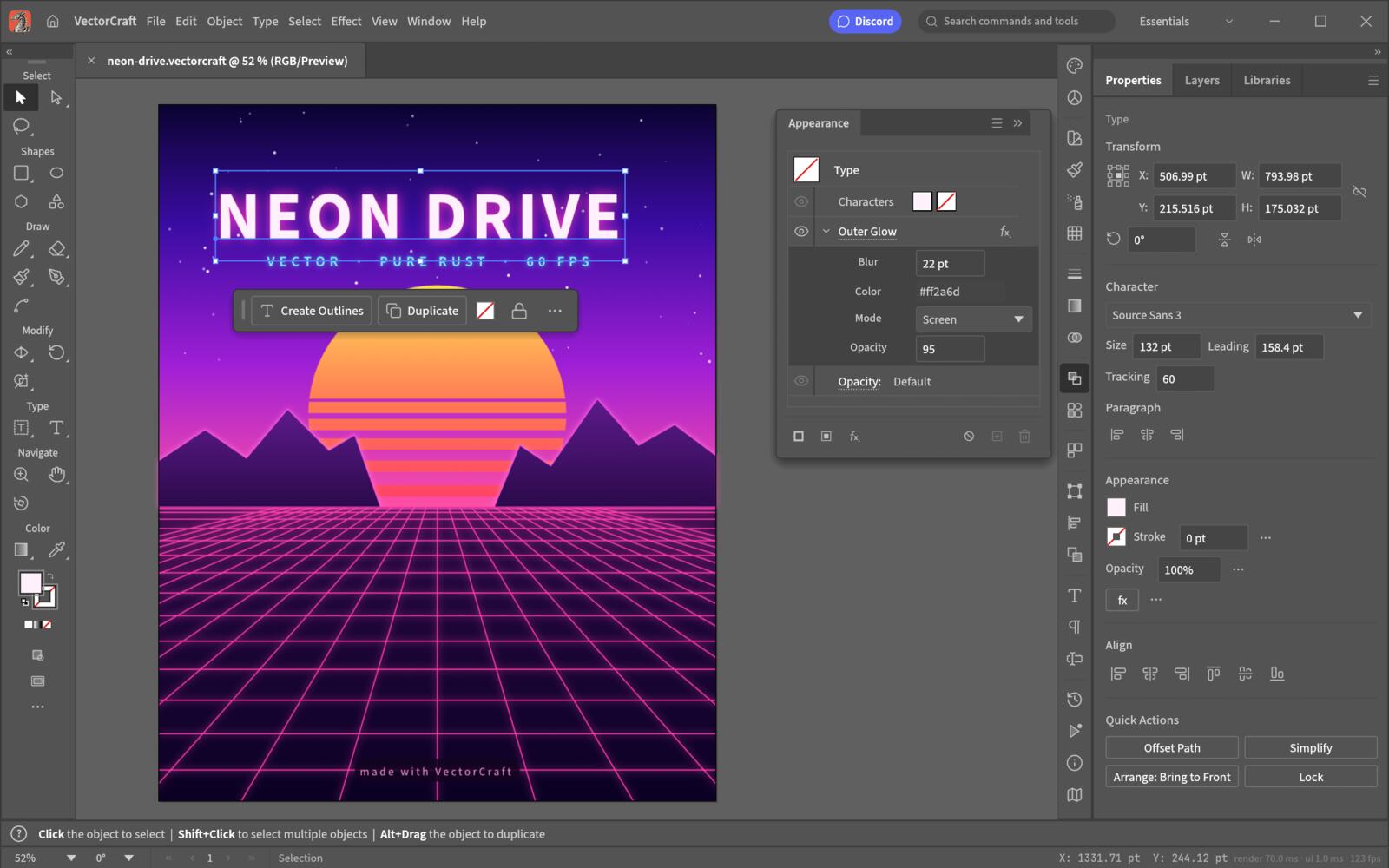
Draw and edit vector paths with familiar pen, direct selection, Pathfinder, Shape Builder and smart-guide workflows.
Use the native .vectorcraft format while importing and exporting SVG, PDF and PDF-compatible .ai files for practical handoff.
Work with fills, strokes, gradients, transparency, text, swatches, layers and artboards in a document model built for vector work.
The same codebase targets desktop applications and a WebAssembly browser build; browser availability is still an alpha workflow.
Run headless exports or let an agent drive drawing, editing and export through the documented control channel and MCP server.
Export a vector file headlessly
vectorcraft-cli run --in examples/ribbons.vectorcraft --export out.pdfCompare the command with the help output of the installed release before using it in automation.
Start the MCP server
vectorcraft-cli mcpRestrict automation read and write roots to the project folders an agent should access.
This is an upstream preview of VectorCraft. It helps you recognise the workflow, but it is not a promise that every panel, model or file format is unchanged in v0.11.0. Use the release and source links above for the version-specific truth.
Browser experience
Target workflow: paths, artboards and SVG-first illustration. The editor opens in the upstream application; This portal does not upload, proxy or retain your files.
VectorCraft is the vector member of the Crafting Apps family around ArtCraft. Its job is different from PhotoCraft and ArtCraft: it works with paths, shapes, strokes, fills, artboards and type rather than starting from pixels or a generated shot. The project describes itself as a clean-room, open-source reimplementation of an Illustrator-shaped workflow, but that phrase should be read as workflow familiarity, not a claim of Adobe compatibility or endorsement. The source is public, the licence is MIT or Apache-2.0, and the release is still labelled alpha.
The native .vectorcraft format is the safest place to keep an editable working file because it is the format the project controls directly. For handoff, the repository documents first-class SVG and PDF import/export, as well as PDF-compatible .ai import and export. That is useful when a team has to move artwork between tools, but it is not the same as promising that every Illustrator effect, plugin, appearance stack or linked asset will make a perfect round trip. Keep the original file, export a reference PDF or SVG, and reopen the exported file before calling a workflow compatible.
The current tool surface covers the parts most people mean when they say vector illustration: Pen and Direct Selection, shape tools, Pathfinder, Shape Builder, layers, swatches, gradients, transparency, appearance, smart guides, artboards and text. The project also documents multithreaded rendering and a structured undo model. Those are meaningful building blocks for posters, icons, diagrams, logos and layout experiments. They do not turn an alpha project into a drop-in replacement for a mature production suite, so the useful question is whether your own work depends on one of the missing edges.
VectorCraft targets macOS, Windows and Linux desktop workflows, and the project also documents a WebAssembly browser build. The browser build is a way to try the same codebase in a tab; it should not be described as a hosted service or as proof that every desktop feature is equally ready online. The CLI and MCP surfaces are more distinctive for teams: a headless command can export a document, while an MCP client can drive menu actions, editing and export. Restrict an agent to a project read and write root, keep source files backed up, and test one document before batching a folder.
The comparison is about fit, not a winner. Illustrator has a long-established ecosystem, specialist production workflows and native plugin relationships that VectorCraft does not reproduce. VectorCraft offers public source, a permissive dual licence, a Rust implementation, a documented control channel and a lighter path for people who want to inspect or automate the editor. If your job is everyday path drawing, SVG/PDF interchange or experimenting with an agent-controlled vector workflow, it is worth testing. If your job depends on a particular native extension, a very specific Illustrator effect or a press pipeline that cannot tolerate an alpha release, keep Illustrator or another mature fallback in the loop.
Fonts are a production concern, not a footnote. The project bundles craft-fonts in release builds and can also use installed system fonts, but a document can render differently when a required font is missing or has not been discovered yet. On Linux, the upstream documentation calls out Wayland and drawing-tablet limitations in some environments; XWayland is the practical fallback described by the project. Before delivering artwork, open the file on the target machine, inspect missing-font notices, convert critical display type to outlines only when the handoff requires it, and keep an editable text version separately.
Use the upstream GitHub Release rather than a third-party mirror. VectorCraft v0.11.0 is the current release recorded for this page, and the release page is the authority for the exact asset names, architecture choices and any checksums published alongside them. OpenCraftTools does not host or repackage installers. After downloading, compare the release asset and checksum information, then keep the release tag with the project file so another person can reproduce the environment later.
That test is deliberately small. It tells you more than a feature checklist because it follows the exact formats, fonts and exports your work depends on. VectorCraft is moving quickly, so record the version, operating system, display server and source file with the result. When a later release changes behaviour, you will know whether the change is in the app or in the environment around it.
No. VectorCraft is an independent open-source project. It uses an Illustrator-shaped workflow for familiarity, but it is not affiliated with, sponsored by or endorsed by Adobe.
Not as a blanket claim. It covers substantial everyday vector work, but it is alpha software and does not provide Illustrator compatibility, native plugins or every specialist production feature. Test your real files first.
The upstream project documents its native .vectorcraft format, SVG, PDF, PDF-compatible .ai and common raster export paths. Exact behaviour depends on the file features, fonts and release you use.
The project documents a WebAssembly browser build. Treat it as an experimental build of the same codebase, not as a hosted editor or a guarantee that every desktop capability is available online.
Yes, the upstream project documents a JSON control channel and an MCP server. Limit the agent to explicit project folders and test exports in a disposable directory before automating production artwork.