ArtCraft and PhotoCraft troubleshooting: how do you fix crashes, imports and fonts?
Start by separating four failures that look alike: the application cannot install, the renderer crashes, a file format is only partly supported, or a required font is missing. PhotoCraft is early alpha, so the safest workflow is to reproduce each issue with a copy, record the release and environment, and report the smallest file that demonstrates it rather than flattening the evidence away.
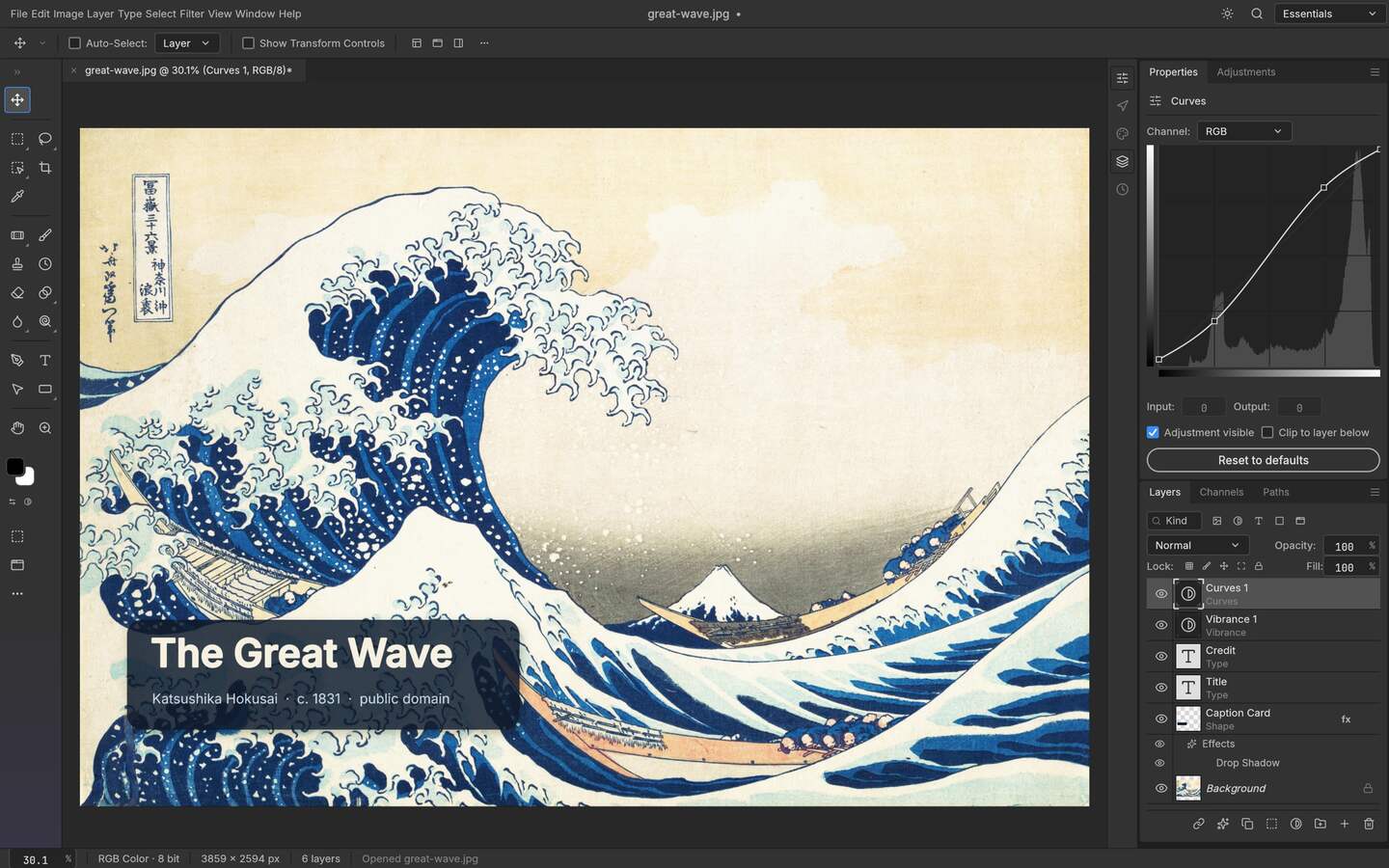
Upstream PhotoCraft interface preview; the artwork shown in the repository is public-domain source material. View the GitHub asset
The five-minute isolation pass
Record the environment
Write down the PhotoCraft release tag, operating system, CPU architecture, GPU and driver, file format and whether the problem happens with a new blank document.
Protect the original
Work from a copy. Do not overwrite the only PSD, HEIC or project file while trying a different renderer, export or release.
Reduce the case
Try a small PNG and a small document with one layer. If that works, add the original file, layers, effects and fonts back one at a time.
Compare one release
Do not change the app, driver and file at the same time. A single changed variable gives the upstream issue report something useful to act on.
Install failure or crash on launch
Start with the boundary
Problem
Likely boundary
Safe next step
Installer is blocked
Windows policy, SmartScreen or a mismatched asset
Recheck architecture, upstream release URL and checksum; do not use a random mirror
AppImage or package does not start
Missing runtime, FUSE or graphics dependency
Try the package format for the distribution and capture the terminal error
Launch crashes before a document opens
Renderer, driver or build issue
Test a software renderer or updated driver, then report the exact release and GPU
Only one large file crashes
Memory, document feature or imported asset
Reduce a copy until the smallest reproducer opens
HEIC import does not work
Do not turn a successful PNG conversion into a claim that PhotoCraft natively supports every HEIC variant. HEIC is a compatibility test: check the current release notes and repository issue guidance, then try a copy of the file. If the current build cannot open it, convert the copy to PNG or TIFF with a tool you already trust, keep the original HEIC unchanged and report the codec, bit depth, metadata and failure message with the release tag. The conversion is a fallback, not proof of native HEIC support.
PSD opens without the layers you expected
A PSD is a document structure, not just a final bitmap. Check whether the file uses groups, smart objects, adjustment types, text effects or blend modes that the current release does not round-trip. Compare the layer tree before editing, keep the source file, save a PhotoCraft copy and export a flat reference. If the structure differs, report the smallest PSD that reproduces it instead of exporting a flattened file and losing the evidence.
Text or artwork looks different because of fonts
A missing or substituted font changes layout even when the image editor itself is working. Confirm the font name and weight, install it only from a source you trust, restart the application if its font list is cached and compare the result on the target machine. For delivery, keep an editable text version and make a separate outlined or rasterized handoff only when the workflow requires it. Never silently replace a client font and call the file identical.
What to include in a useful issue report
Exact PhotoCraft release tag and download asset.
Operating system, architecture, GPU and driver.
Whether a blank document and a small PNG work.
A reduced reproduction file with private content removed.
The expected result, actual result and first visible error message.
A decision tree for the next attempt
If a blank document fails, start with the installation, renderer and driver boundary. If a blank document works but a PNG fails, inspect the file dimensions, colour profile and decoder path. If PNG works but PSD or HEIC fails, treat it as a format-compatibility question and preserve the source. If the document opens but text changes, inspect fonts before changing the renderer. If only export fails, compare the native project save with a flat PNG and determine whether the issue is the chosen format or the document itself. This ordering prevents five unrelated changes from being reported as one vague crash.
When a workaround is acceptable
A workaround is acceptable when it preserves the business result and clearly records what was lost. Converting an HEIC copy can produce an editable raster input, but it may remove original metadata. Flattening a PSD can make an image deliverable, but it removes the layer tree. Outlining text can stabilise a vector handoff, but it removes live text editing. Keep both the original and the workaround output, state the conversion tool and release, and do not rewrite the workaround as native support in a tutorial or comparison.
When to stop and use a fallback
Stop testing the alpha build when the file is a deadline-critical original, the conversion is changing colour or layers, or the same failure survives a minimal reproduction on a clean machine. Use the mature tool already approved for that job, keep the PhotoCraft issue evidence separate and return to the new release when the upstream project documents a fix. The point of troubleshooting is to isolate a boundary, not to force an early tool into a role it cannot yet guarantee.
Who this is for
Fixing a PhotoCraft crash before a deadline
Checking whether HEIC or PSD support is the actual issue
Diagnosing missing fonts and changed text layout
Writing a reproducible upstream bug report
Limits worth knowing
This page does not promise native HEIC support or complete PSD effect compatibility; those are release-specific facts.
A workaround such as converting to PNG can preserve a deliverable while removing editable metadata or layers.
The upstream issue tracker and release notes remain authoritative for fixes and regressions.
Questions this guide gets asked
01
Does PhotoCraft support HEIC?
Do not assume complete HEIC support from the existence of an image import feature. Test the exact HEIC variant against the release you use. If it fails, preserve the original and use a verified conversion only as a fallback.
02
Why does a PSD open but lose effects?
PSD compatibility depends on the specific structures and effects in the file. Check the layer tree and report a minimal example; opening the composite alone does not prove a safe round trip.
03
What should I do when PhotoCraft crashes?
First separate a blank document, a small PNG and the original file. Record the renderer, GPU, driver and release, then report the smallest case that still crashes.
04
Why are fonts missing after opening a project?
The required family or weight may not be installed or discovered on that machine. Confirm the font identity, install it from a trusted source, restart if needed and keep an editable copy before outlining text.