“Is ArtCraft safe?” has several different answers. A verified download answers whether the bytes match a published release; it does not answer whether a provider receives your file, whether an alpha feature fits production, or whether a future update changes the workflow. This independent guide separates download integrity, source and release evidence, local permissions, account and provider boundaries, privacy, output review and recovery. Use the upstream ArtCraft repository and release page as the source trail, and begin with a disposable asset before trusting the tool with client material.
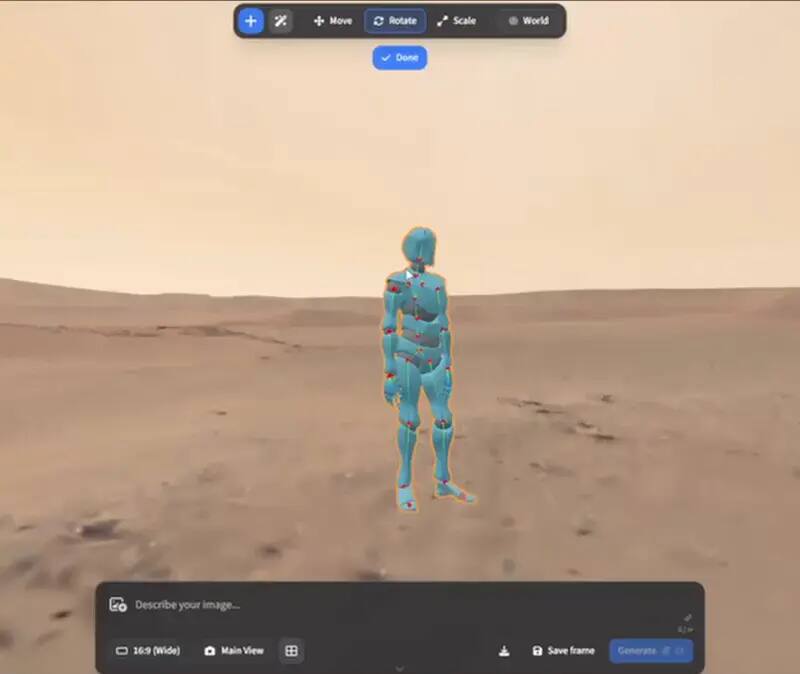
Upstream ArtCraft character-posing preview; availability and model behaviour remain version-dependent. View the GitHub asset
Short answer: verify the path, not just the brand
ArtCraft is an open-source project with a public repository and versioned release trail, which makes it easier to inspect than an unknown installer site. That is useful evidence, not a blanket safety certificate. Download from the official project or the linked upstream release, inspect the asset name and checksum when one is published, and keep your operating system protections enabled. Then evaluate what the application does in the exact workflow you intend to use. A local editor, a browser entry and an AI generation provider can have different data paths even when the user calls them all ArtCraft.
Four safety questions people mix together
A more precise answer
Question
What evidence helps
What it does not prove
Is the download authentic?
Exact upstream URL, asset name and matching checksum
That the application is bug-free or suitable for your job
Is the source inspectable?
Public repository, licence, issues and release history
That every dependency or future build has been audited by you
Will my file stay local?
The actual app, browser, provider and storage path
That a local installer never makes a network request
Is it safe for production?
A tested file corpus, export, recovery path and pinned version
That an alpha project has mature suite-level compatibility
Download and checksum checks
Start at the ArtCraft page or the upstream repository, not a search-ad download button. Confirm that the release tag, operating system and architecture match the file you need. When a SHA256 file is published, calculate the local digest and compare the exact filename line. Keep the release URL and digest in your notes. A checksum detects a changed or incomplete file; it does not tell you whether the release has the permissions, dependencies, telemetry or provider behavior you want. If there is no checksum, do not invent one or describe the file as verified. Use the repository, release notes and your operating system security prompt as separate evidence.
Permissions and first run
A safe first run is deliberately boring. Use a test account or a clean profile, open a synthetic or redacted asset, and observe whether the app requests file access, network access, sign-in or a model-provider key. Record the version, operating system and action. Keep the first export small and reopen it in the software that receives it. If a prompt is unexpected, stop and read the upstream documentation rather than disabling endpoint protection or downloading a replacement from an unrelated site. The objective is to learn the actual behavior of this release on this machine, not to turn a missing permission into an assumption.
The provider and privacy boundary
ArtCraft can direct selected generation steps to external model providers. That means the application being open locally does not automatically mean the prompt, reference image, scene data or output request stays local. Check which provider is selected, whether an account is required, what data the provider receives, how long it retains requests, and what pricing applies to a retry. The browser entry has its own upstream hosting and session boundary. OpenCraftTools does not receive your files or tokens, but it cannot make guarantees about an external application or provider. Use a redacted input until those notices and settings are clear.
Open source is evidence and responsibility
Public source gives developers a place to inspect implementation, follow issues and compare releases. It also means the project may move quickly, dependencies can change, and an alpha label should be taken seriously. Read the current licence and notices, review the release notes, and pin a known version if a workflow matters. Do not convert “open source” into “no risk,” “no account,” “no network,” or “commercially supported.” Those are separate claims that require separate evidence. If your organisation has a security review process, feed the repository, build, dependencies and runtime behavior into that process instead of substituting a marketing label.
Production readiness checklist
Pin the version
Record the exact ArtCraft or launcher release and keep the matching source and release URL.
Test a real-shaped but safe file
Use a representative redacted asset that exercises the layers, scene or export you need.
Map the data path
Name the browser, local app, provider, account and storage location involved in each operation.
Review the output
Check visual quality, metadata, file reopening, licence obligations and any human approval step.
Keep recovery
Retain originals, exports and a mature fallback until the workflow has passed repeatable tests.
What would change this answer?
A new release can change the correct safety answer. Recheck asset names, checksums, permissions, provider integrations, account requirements and release notes rather than copying an old review. A community package may be convenient but has a different maintainer and trust path. A browser feature may move server-side without changing the desktop version. The honest answer therefore includes a date, an exact version and a boundary. “Safe” is a decision made for a specified path and risk level, not a permanent property attached to a project name.
How to record a safety result
A useful safety note is specific enough for someone else to reproduce. Record the operating system, release tag, asset filename, checksum source, account type, network condition, provider selected and the test file classification. Note which permissions appeared, whether the app made a request before you pressed a generation button, where the export was written and whether the result reopened. Separate observations from conclusions: “the application requested network access” is an observation; “the application is unsafe” is a broad conclusion that needs a defined risk model. For a personal experiment, this record may fit in a short text file. For a team, add the licence, dependency review, endpoint policy, spending limit, retention question and owner who approves a new version. When any one of those changes, rerun the canary. This keeps the word safe tied to an evidence boundary instead of turning it into a permanent badge that follows an old screenshot.
The same discipline applies to output safety. Review generated images and video for unwanted likeness, text, logos, metadata, hidden source material and licence restrictions before publishing. Keep a human approval step when the result represents a person, a client brand or a regulated subject. A technically authentic installer can still lead to an unsuitable output if the provider, reference asset or prompt introduces a separate risk. Record the decision and the reason for rejecting an asset, then rerun only the smallest part of the workflow that needs changing.
Who this is for
Checking an ArtCraft download
Reviewing privacy before generation
Assessing an open-source creative tool
Preparing a safe production canary
Limits worth knowing
Safety depends on the exact release, device, provider and workflow.
This is an information guide, not a security audit or legal opinion.
OpenCraftTools cannot guarantee an external app, provider or future release.
Use professional review for sensitive, regulated or high-value work.
Questions this guide gets asked
01
Is ArtCraft safe to download?
Use the official project or linked upstream release, verify the exact asset and checksum when available, keep system protections enabled, and run a disposable first test. No page can give a permanent universal safety guarantee.
02
Does ArtCraft upload my files?
It depends on the operation and upstream provider. Local composition and provider-backed generation can have different data paths, so read the current upstream notices and test with a redacted file.
03
Is ArtCraft safe for commercial work?
Only after your own licence, privacy, output quality, provider cost and recovery checks pass for the exact version and workflow. An open-source label alone is not a production approval.
04
Does a checksum prove ArtCraft is safe?
A checksum proves that the downloaded bytes match a published asset. It does not audit permissions, dependencies, provider behavior, bugs or compatibility.
05
Is OpenCraftTools the official ArtCraft site?
No. OpenCraftTools is an independent portal that links to the upstream project and describes its limits. It is not affiliated with or endorsed by the ArtCraft team.