
Can I download ArtCraft for Linux?
Not from the current ArtCraft desktop release checked here: it publishes macOS and Windows assets, not a Linux desktop installer. Use the official browser entry or a supported desktop machine instead.
ArtCraft does not publish a Linux desktop asset in the current release checked here. Linux users can still open the official ArtCraft browser entry, or pair a Linux PhotoCraft workflow with ArtCraft on a supported macOS or Windows machine. This guide separates those paths so “ArtCraft for Linux” does not turn into an unsupported installation promise.
Read the ArtCraft facts All guides
Written against the build verified on 2026-10-15.
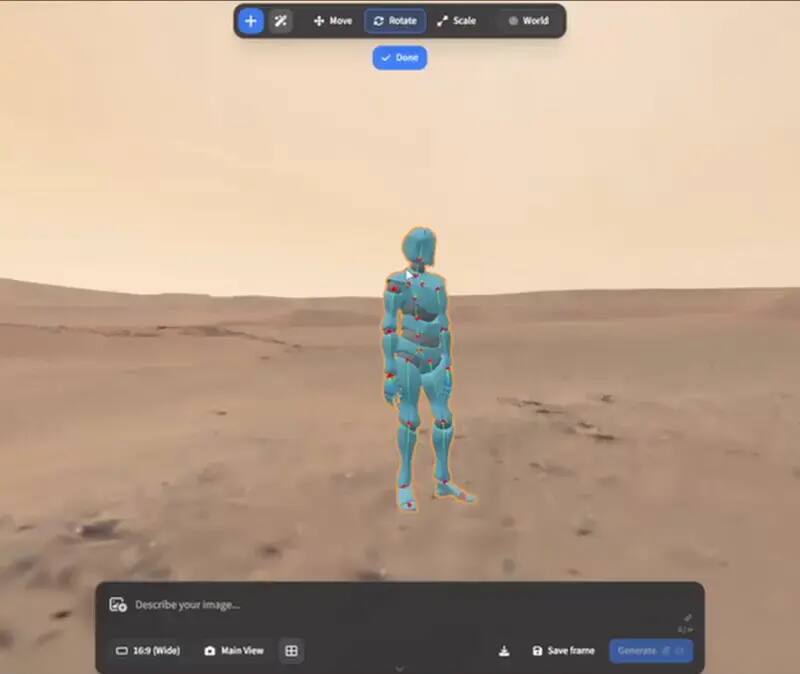
There is no current Linux desktop installer in the ArtCraft release assets checked for this portal. The published desktop path covers macOS and Windows. That does not mean the project is unusable from Linux: its official web entry can be opened in a browser, and PhotoCraft supplies the local Linux editing stage when the job is layered pixels, PSD, masks or batch automation. Those are useful combinations, but they are not the same thing as a native ArtCraft Linux build.
| Path | What it gives you | What it does not prove |
|---|---|---|
| Official ArtCraft browser entry | A way to inspect the upstream AI image and video workflow from a Linux browser | Feature parity, local-only processing, or account-free use |
| PhotoCraft on Linux | Local layered editing, PSD/PSB work, CLI, JSON actions and MCP automation | The ArtCraft generation and scene-direction workflow |
| ArtCraft on macOS or Windows | The versioned desktop application and its published release assets | That the same release can be installed natively on Linux |
A browser entry and a desktop binary solve different problems. The browser application is controlled by the upstream service: account, provider calls, session storage, file handling and usage limits belong there. A native release gives you a versioned executable and a local project boundary, but only on the platforms named by its assets. Calling either one “ArtCraft for Linux” without naming the boundary is likely to send a user down the wrong installation path.
Open the upstream ArtCraft web entry from the source-linked button and read its current account, provider and file-handling notice before using a real asset.
Use PhotoCraft for layered finishing, PSD handoff, masks, grades and scripted batch work when that is the part Linux needs to own.
If a feature exists only in the desktop release, use the macOS or Windows asset named by the upstream project and record the exact release tag.
Move one disposable still or short clip through the workflow, then verify export, colour, layers and project recovery before treating the combination as a production path.
A Linux answer changes only when the upstream release publishes a Linux asset or documents a supported local build path. A GitHub issue, a source repository or a community package is not the same evidence. Check the release assets, supported platform list, package architecture, graphics requirements and any provider dependency together before updating this page or writing an install tutorial.
The browser path still has practical requirements. A current browser, WebGPU or WebGL support, enough memory for the scene and a reliable connection to the upstream provider can all affect the result. Linux distributions also differ in graphics drivers, sandboxing and file-picker behavior. A page that opens is only the first check. Open a disposable image, test one controlled scene step, export the result and close the tab. Record the browser, distribution, graphics hardware and the date so a later failure can be compared with a known working canary. Do not describe a successful page load as proof that a long generation, video export or large project will work.
A Linux workflow often starts with a privacy requirement, but “runs in the browser” does not answer where a generation request goes. PhotoCraft’s local editor and its self-hosted WebAssembly package are a different boundary from the hosted ArtCraft application. Before a team uses the combination, decide which files may leave the workstation, which model provider receives a request, who owns the external account, and where the native project or exported asset will be reopened. Keep sensitive client material out of the first test and use a redacted or synthetic file until those questions are answered.
When a new ArtCraft release arrives, check the release page rather than relying on a repository badge or a third-party package name. Confirm that a Linux asset is actually attached, identify its architecture and package format, read any graphics or runtime requirement, and run a clean install on a test machine. Then repeat one browser-to-editor handoff and one provider-backed generation with non-sensitive inputs. If only a community build exists, label it as community-maintained and keep the official answer unchanged. That evidence gate prevents a rising search phrase from becoming an unsupported download instruction.
Not from the current ArtCraft desktop release checked here: it publishes macOS and Windows assets, not a Linux desktop installer. Use the official browser entry or a supported desktop machine instead.
The official project exposes a browser entry, so a Linux browser may be able to open it. Check the upstream account, provider, file and feature boundaries; this is not proof of a native Linux build.
It depends on the job. PhotoCraft is the closest Craft-family fit for local layered editing, PSD, masks and automation. It is not an ArtCraft AI-generation replacement, so keep the scene-generation stage separate.
A workaround may run in some environments, but it is not the same as an upstream-supported Linux asset. Test graphics, provider calls, file access and recovery yourself before relying on it.
The project publishes its source under the licence linked from its upstream repository. Open source does not automatically imply a build for every operating system, so platform support still comes from the release assets.